Names, dishes and places
Italian videos are full of proper names: towns, dishes, brands, people. The model writes the most likely spelling, but a trattoria name or a regional dish can come out wrong. A quick read-through fixes it.
Klaket Editor · Italian subtitle generator
Food, travel, fashion, design: Italian videos get watched all over the world, often on mute. Klaket Editor listens to the Italian in your video and writes captions with accents and apostrophes, timed word by word. Edit, style, export. Free, no watermark, nothing uploaded.
Opens instantly in your browser. No account, no download.
Accents and apostrophes in place: perché, città, l'amico, un po'.
Great for the Bold style on Reels and TikTok.
Add English captions to reach viewers outside Italy, in any browser.
Edit and export in up to 1080p for free, as often as you want: no trial, no subscription, no credit card.
Speech becomes captions timed word by word, free. Translate them into other languages too (any language in Chrome on a computer, English everywhere).
No logo, no end card, at any resolution. The video is yours.
Remove a green or any solid background and put anything behind it, with fine control of the edges.
Opens in the browser on Windows, Mac, Chromebook, Android and iPhone.
Your videos are processed on your device and never uploaded. Projects auto-save in your browser.
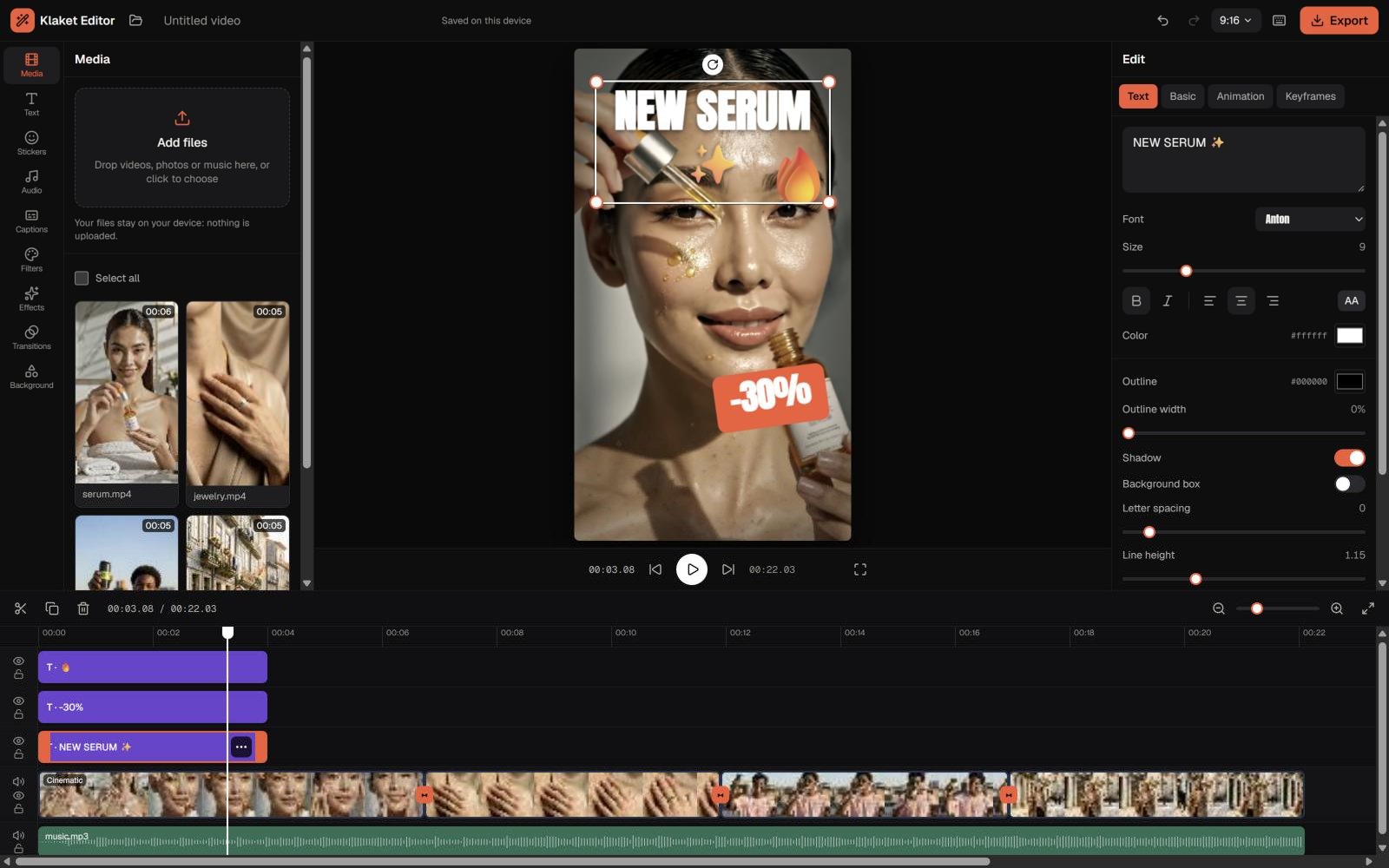
Multi-track timeline, 58 filters, 32 transitions, 20+ effects, 45 fonts, keyframes, speed 0.1–8×, reverse, freeze frame.
When you need more, Klaket's AI makes videos, swaps people and objects, writes music and creates ads, in the same place.
A recipe, a travel vlog, a shop video, a lesson.
In Captions, choose Italian as the spoken language and a style.
Check names, dishes and places; click a caption to edit.
Burn the captions into a 1080p MP4 for free, or download an SRT.
Italian videos are full of proper names: towns, dishes, brands, people. The model writes the most likely spelling, but a trattoria name or a regional dish can come out wrong. A quick read-through fixes it.
Neapolitan, Sicilian, Roman or Milanese accents generally work when people speak Italian. Real dialect is a different story and may be misheard. Use More accurate on a computer and select Italian instead of auto-detect.
Keep Italian captions for your Italian followers and make an English version for tourists and food lovers abroad: set Captions in to English, in any browser. Other languages use Chrome's built-in translator on a computer.
Video, photos, text, stickers and audio on separate tracks, with a magnetic main track.
Trim the ends, split at the playhead, duplicate, copy and paste, reorder by dragging.
Automatic captions from speech in ~100 languages, 45 fonts, 12 styles, typewriter and word-by-word animations, SRT.
Add songs and sound effects, record a voice-over, detach audio, set volume and fades.
Cinematic, vintage, B&W and more, each with an intensity slider, plus 15 colour adjustments.
Fades, slides, zooms, wipes and glitches between clips, one click to apply to all.
From 0.1× to 8×, play backwards, freeze a frame, keyframes and in/out animations.
Remove a green background, crop, rotate, flip, blend modes and opacity.
9:16 for TikTok, Reels and Shorts, 16:9 for YouTube, 1:1, 4:5 and more, with a blurred background.
360p, 480p, 720p and 1080p free with no watermark. 2K ($5.99) and 4K ($9.99) are one-time unlocks.
Klaket Editor is the free part of Klaket, an AI platform that puts everything a business or creator needs for video in one place.
Yes, the captions use Italian spelling. Check names and less common words before exporting.
Yes, in every browser: set Captions in to English.
Only the speech model, the first time: about 80 MB for Fast or about 250 MB for More accurate. It stays in your browser for next time. More accurate is the default on computers; Fast is the default on phones.
No. The speech model runs in your browser, so your video and its sound never leave your device. Only the model itself is downloaded, once.
Yes. Editing and exporting in 360p, 480p, 720p and 1080p is free, with no watermark, no account and no trial period. Automatic captions are free too, with no per-minute fee. The only paid extras are 2K export ($5.99) and 4K export ($9.99, includes 2K), each a one-time purchase that stays on your account forever. No subscription.
Klaket is an all-in-one AI platform for businesses and creators. Besides the free Klaket Editor, it makes AI videos with the leading models (Kling, Seedance, Grok Imagine, Wan, PixVerse), swaps the person, object, outfit or background in your own videos, makes AI influencers and talking avatars, AI images, social media posts, landing pages, AI music (Klaket Music) and done-for-you video ads for brands (Klaket Studio).
Another question? Email klaket.support@gmail.com
Your next campaign starts with one photo.
Create accountVideos, posts and landing pages in one place. Creating your account is free; to generate, choose a credit pack from $7 or a plan.