Klaket Editor · Best free video editors (2026)

The best free video editors in 2026, and which one to pick.

There is no single best free editor: it depends on whether you want to install software, need an account, edit on a phone or want professional colour grading. Here is an honest comparison of the free editors people use most, including our own.

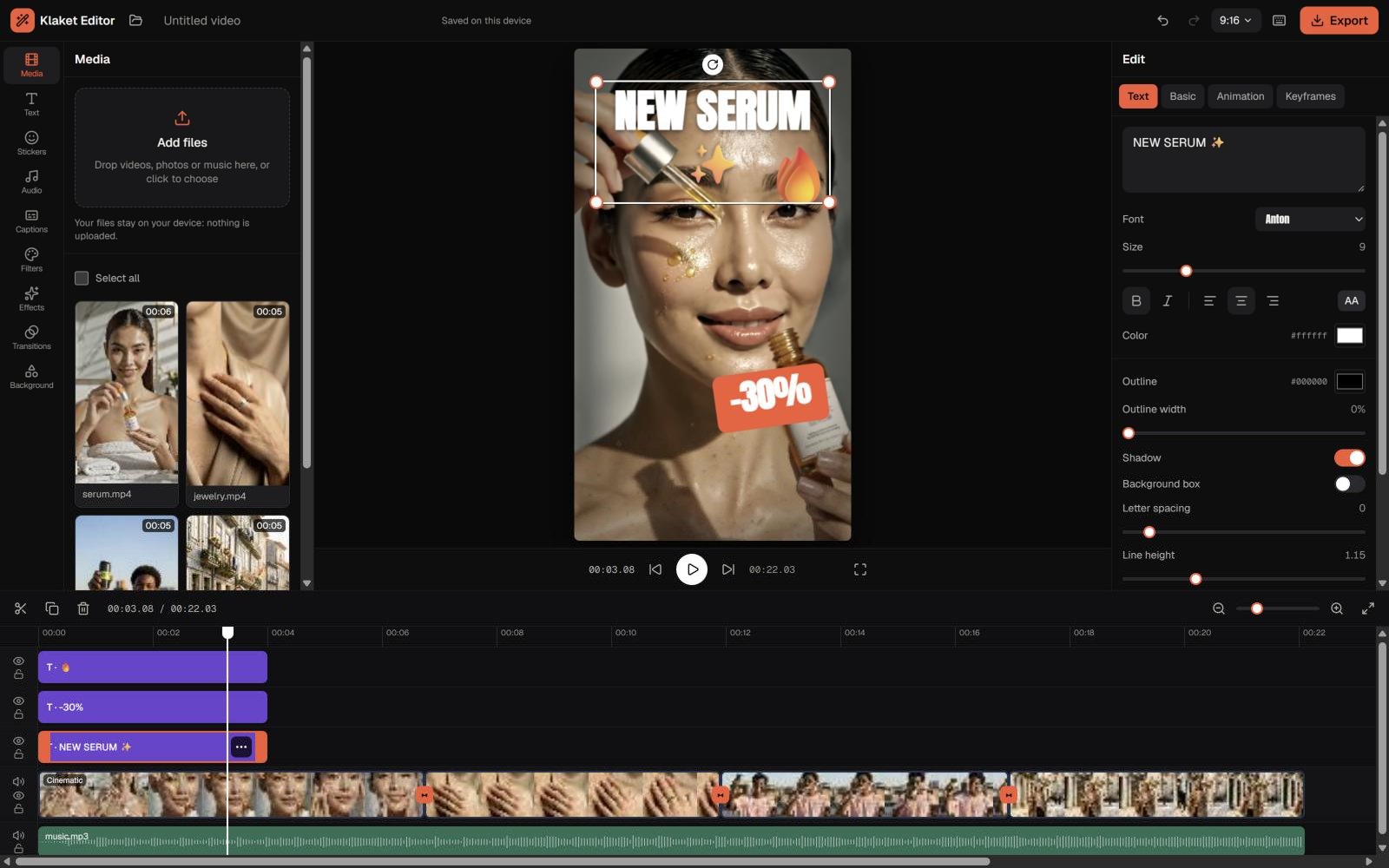
Opens instantly in your browser. No account, no download.

  • 100% free
  • Auto captions
  • No watermark
  • No sign-up
  • Green screen
  • 1080p free
  • Files stay on your device
Klaket Editor — Best free video editors (2026)

Why Klaket Editor

How to do it

  1. 1. Decide where you edit

    Browser (nothing to install), desktop app, or phone app.

  2. 2. Check the export

    Look for 1080p with no watermark on the free version.

  3. 3. Check what it needs

    An account? A powerful PC? A subscription for key features?

How we compared

We looked at what matters for most people making videos for social media, YouTube or a business: is the free export watermark-free, what resolution, does it need an account or an install, does it run on a modest computer or a Chromebook, and how quick is it to learn.

Our pick for most people

For quick social videos, product videos and YouTube edits without installing anything, a browser editor is the fastest path. Klaket Editor is free with no account and no watermark up to 1080p and keeps your files on your device. If you need Hollywood-level colour and audio tools and have a powerful PC, DaVinci Resolve is the free professional choice.

How they compare

Everything in Klaket Editor

Klaket: the all-in-one AI platform

Klaket Editor is the free part of Klaket, an AI platform that puts everything a business or creator needs for video in one place.

Frequently asked questions

What is the best free video editor with no watermark?

For a browser editor with no install and no account, Klaket Editor exports 1080p with no watermark. For a desktop app, DaVinci Resolve, Shotcut and OpenShot export without a watermark on their free versions.

What is the best free video editor for a low-end PC?

A browser editor avoids a heavy install. Klaket Editor runs in Chrome or Edge and exports up to 1080p; shorter projects and 720p exports are lighter on older computers.

What is the best free video editor for beginners?

Browser editors such as Klaket Editor and Clipchamp are the easiest to start with: drag files onto a timeline, add text and music, export.

Is Klaket Editor really free?

Yes. Editing and exporting in 360p, 480p, 720p and 1080p is free, with no watermark, no account and no trial period. The only paid extras are 2K export ($5.99) and 4K export ($9.99, includes 2K), each a one-time purchase that stays on your account forever. No subscription.

What is Klaket?

Klaket is an all-in-one AI platform for businesses and creators. Besides the free Klaket Editor, it makes AI videos with the leading models (Kling, Seedance, Grok Imagine, Wan, PixVerse), swaps the person, object, outfit or background in your own videos, makes AI influencers and talking avatars, AI images, social media posts, landing pages, AI music (Klaket Music) and done-for-you video ads for brands (Klaket Studio).

Another question? Email klaket.support@gmail.com

Lights, camera, product.

Your next campaign starts with one photo.

Create account

Videos, posts and landing pages in one place. Creating your account is free; to generate, choose a credit pack from $7 or a plan.