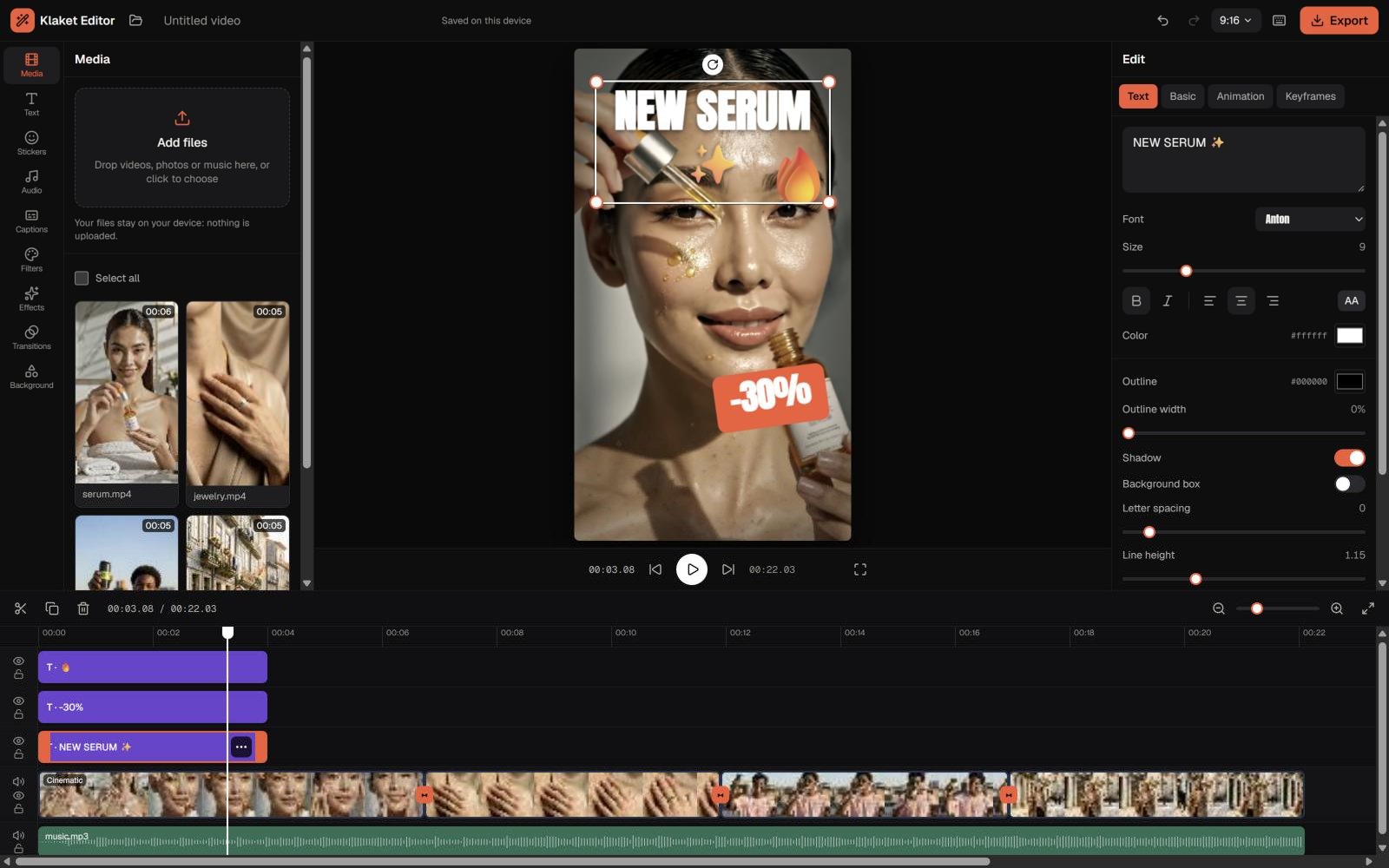
Klaket Editor · CapCut alternative

A free CapCut alternative that runs in your browser.

If you like CapCut's style of editing but want something free with no account, no download and no watermark, Klaket Editor gives you a familiar timeline, text animations, filters, transitions and 9:16 formats, and exports 1080p for free.

Opens instantly in your browser. No account, no download.

  • 100% free
  • Auto captions
  • No watermark
  • No sign-up
  • Green screen
  • 1080p free
  • Files stay on your device
Klaket Editor — CapCut alternative

Why Klaket Editor

How to do it

  1. 1. Open Klaket Editor

    No app store, no installer.

  2. 2. Pick 9:16

    The same vertical format as TikTok, Reels and Shorts.

  3. 3. Edit and export

    Text, music, filters and transitions, then download in 1080p.

Why people look for a CapCut alternative

Common reasons are needing an account, features moving behind a subscription, wanting a tool that works in the browser on a work or school computer, or preferring that videos are not uploaded to a cloud. Klaket Editor answers all four: it is free, needs no account, runs in the browser and keeps your files on your device.

Auto captions included, for free

Klaket Editor listens to your video and writes the captions for you, timed word by word, in about 100 languages, right in your browser. There is no music library: you add your own music, or create an original song with Klaket Music.

How they compare

Everything in Klaket Editor

Klaket: the all-in-one AI platform

Klaket Editor is the free part of Klaket, an AI platform that puts everything a business or creator needs for video in one place.

Frequently asked questions

Is Klaket Editor like CapCut?

It works in a similar way: a timeline, splitting, text styles and animations, stickers, filters, transitions, speed and vertical formats. The difference is that it runs in the browser with no account and keeps your files on your device.

Is Klaket Editor really free?

Yes. Editing and exporting in 360p, 480p, 720p and 1080p is free, with no watermark, no account and no trial period. The only paid extras are 2K export ($5.99) and 4K export ($9.99, includes 2K), each a one-time purchase that stays on your account forever. No subscription.

Does Klaket Editor add a watermark?

No. Videos exported from Klaket Editor have no watermark and no end card, at any resolution.

Does it have auto captions?

Yes, free: it transcribes the speech in your video and adds captions timed word by word, in about 100 languages, on your device. You can also type captions or import and export SRT files.

What is Klaket?

Klaket is an all-in-one AI platform for businesses and creators. Besides the free Klaket Editor, it makes AI videos with the leading models (Kling, Seedance, Grok Imagine, Wan, PixVerse), swaps the person, object, outfit or background in your own videos, makes AI influencers and talking avatars, AI images, social media posts, landing pages, AI music (Klaket Music) and done-for-you video ads for brands (Klaket Studio).

Another question? Email klaket.support@gmail.com

Lights, camera, product.

Your next campaign starts with one photo.

Create account

Videos, posts and landing pages in one place. Creating your account is free; to generate, choose a credit pack from $7 or a plan.